> For the complete documentation index, see [llms.txt](https://docs.servoy.com/llms.txt). Markdown versions of documentation pages are available by appending `.md` to page URLs; this page is available as [Markdown](https://docs.servoy.com/guides/develop/mobile-development/mobile-integrations.md).
# Native Mobile Integrations
This is a guide for how to add hardware integrations for a servoy mobile app. Hardware integrations such as camera, fingerprint, audio, vibration and other various sensors.
### Adding Phonegap Module
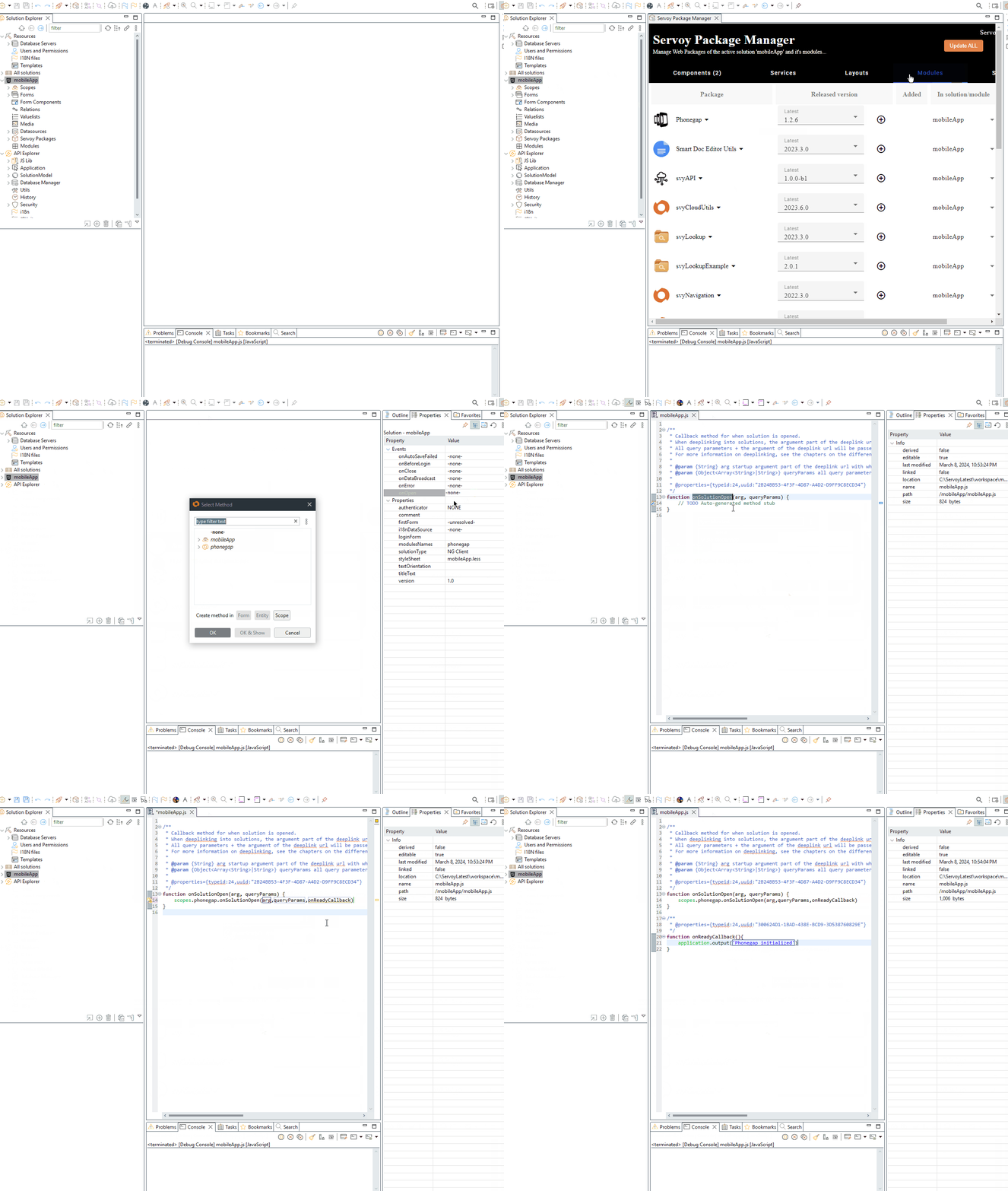
Start by adding the phonegap module to your solution. It's the foundation for all native device integrations. Go to the package manager to download and install. Once you've done that follow through the [wiki](/guides/develop/programming-guide/extensions/modules/svyphonegap.md#getting-started) to setup an **onSolutionOpen** hook event and initialize the module.
### Integration with the camera
Integrating a mobile application with the camera on a smartphone is a common requirement. We can use the phonegap camera plugin to do this easily.
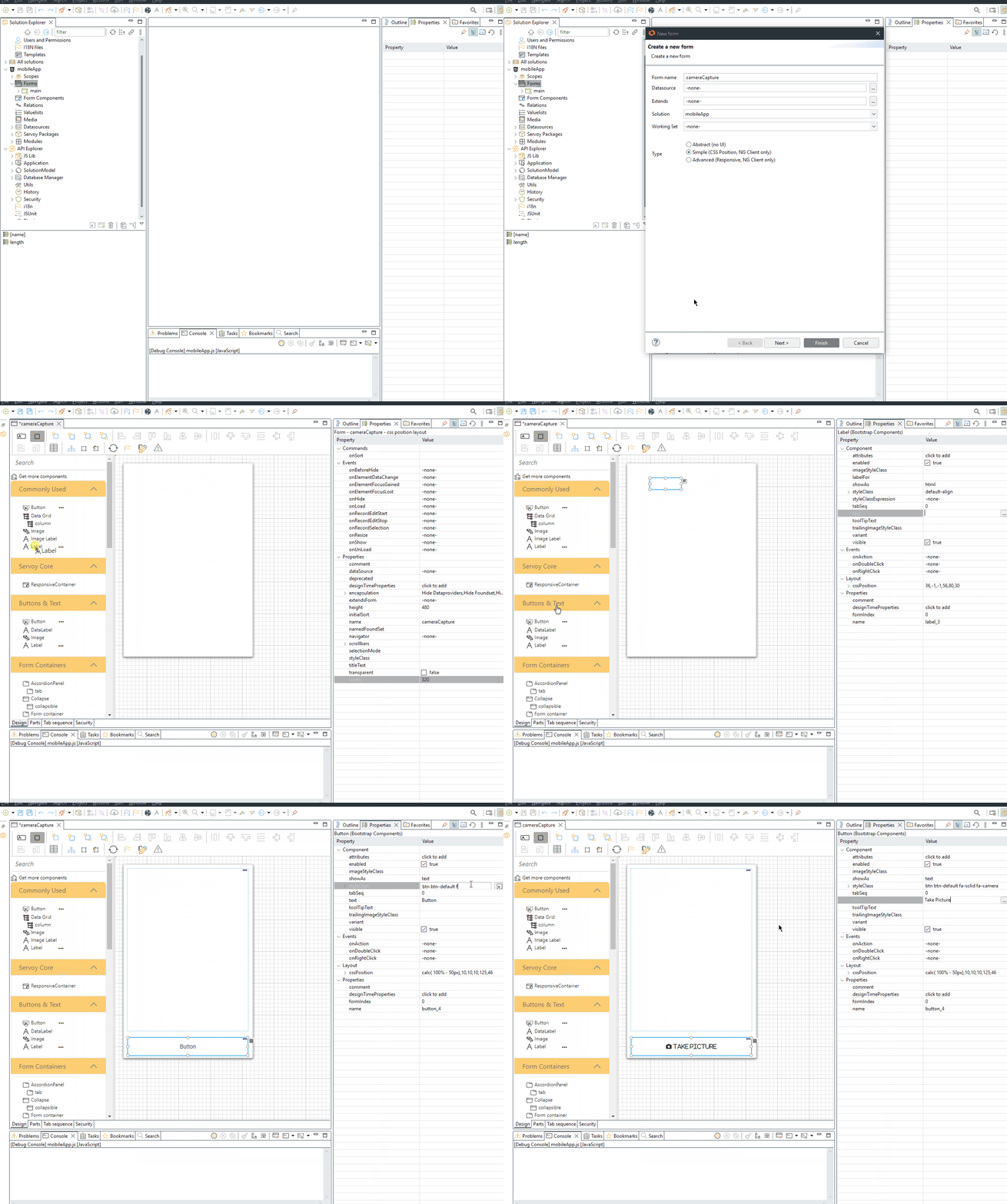
First setup a form to show a preview for the image that we will capture. Start by adding an label component for the image preview and a button to start the capture mechanism. Set the cssPosition properties for anchoring and style the form so that it can fit in a mobile viewport.
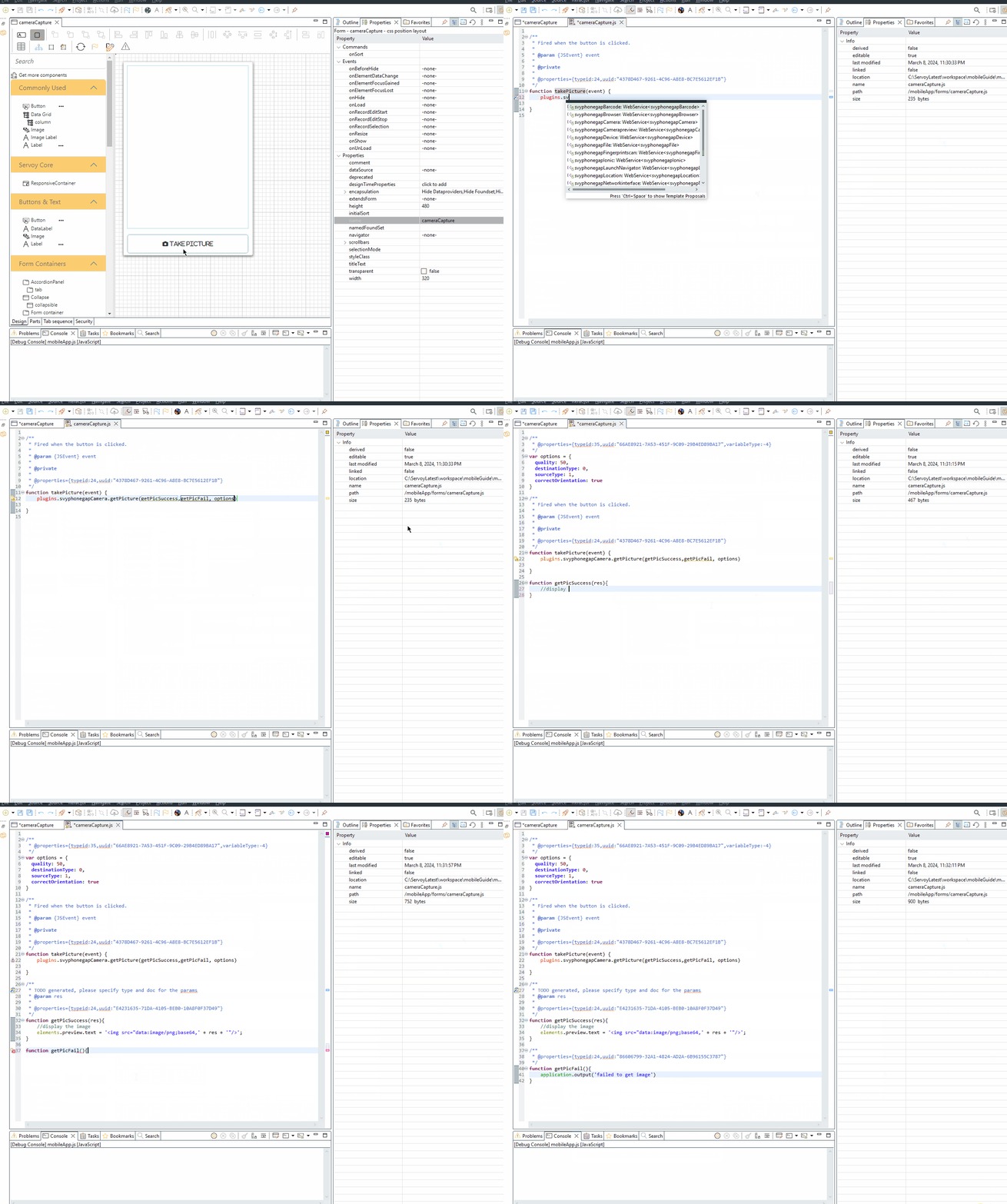
We will tie the onAction event to a method that will call the the phonegap plugin and start up the native camera on the device. This plugin's api takes a success method, failure method, and an options object as arguments. The success method will fire once the native camera app finishes capturing an image.
It contains an argument which is the base64 image data string when fired. We can use basic HTML markup to generate an image tag for the label component. For more details on this process review the [camera plugin wiki](/guides/develop/programming-guide/extensions/modules/svyphonegap/camera.md#example-usage).
### What's Next
We need to need to build a [native binary](/guides/develop/mobile-development/exporting-to-an-app-store.md) connected to your solution. This is an important step to generate the mobile application binary for installation on a smartphone/tablet and actually make use of the integrations.
---
# Agent Instructions
This documentation is published with GitBook. GitBook is the documentation platform designed so that both humans and AI agents can read, navigate, and reason over technical content effectively. Learn more at gitbook.com.
## Querying This Documentation
If you need additional information that is not directly available in this page, you can query the documentation by asking a question.
Perform an HTTP GET request on the following URL with the `ask` and `goal` query parameters:
```
GET https://docs.servoy.com/guides/develop/mobile-development/mobile-integrations.md?ask=&goal=
```
`ask` is the immediate question: it should be specific, self-contained, and written in natural language.
`goal` is what the user is ultimately trying to achieve, the reason they need the answer. Sharing it helps GitBook give you a better, more relevant answer. A goal is most helpful when it describes the outcome the user wants rather than restating the question. For example, with `ask=how do I create an API token`, a goal like `automate deployments from our CI pipeline` lets GitBook tailor the answer to that use case.
The response will contain a direct answer to the question and relevant excerpts and sources from the documentation.
Use this mechanism when the answer is not explicitly present in the current page, you need clarification or additional context, or you want to retrieve related documentation sections.